
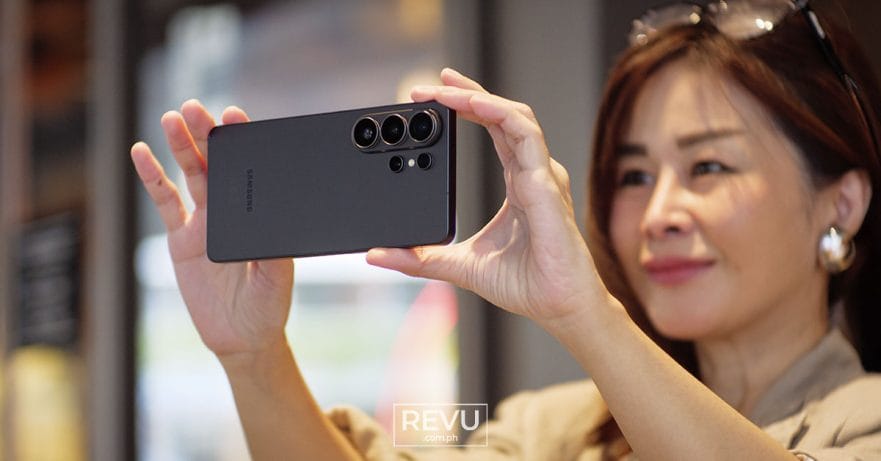
Shooting a live basketball game is notoriously brutal on smartphone cameras. You’re dealing with erratic subjects, harsh arena lighting, and distances that usually require a lens the size of a bazooka.

So, when Samsung invited us to watch the FIBA Basketball World Cup 2027 Asian Qualifiers featuring home squad Gilas Pilipinas taking on Australia, we knew exactly what we had to do.
Even though the night ended in a lopsided victory for the Boomers, we didn’t walk away empty-handed. We went home with a renewed appreciation for what the Samsung Galaxy S26 Ultra can actually pull off when the pressure is on.
SEE ALSO: Samsung Galaxy S26 and Buds4 lineups are here: Galaxy AI and Privacy Display take center stage
We weren’t sitting courtside, though we were close enough to hear the coaches barking plays over the roar of the crowd. Ask any sports photographer, and they’ll tell you that capturing proper action from the stands requires two things: a powerful telephoto lens and super-fast shutter speeds.
The ball moves incredibly fast, especially when a team swings it across the court with crisp, surgical passes. We noticed this with the Australian squad in particular. They played a highly connected, unselfish brand of basketball, frequently finding the open man for a corner three. They passed with the absolute intent to score — which they (unfortunately) did in bunches against Gilas. Capturing that kind of fluid motion on a phone is no small feat.
Re-engineering the telephoto
This is where the Samsung Galaxy S26 Ultra comes in and flexes its muscles. The smartphone features a dedicated 50-megapixel telephoto camera — one of two telephoto lenses on the device — designed specifically for closing long distances. It offers a 5x optical zoom and a highly usable 10x lossless-quality hybrid zoom.
Most notably, it features redesigned optics. Samsung swapped the traditional rectangular lens for a more compact W-shape design and widened the aperture to f/2.9. Compared to the previous generation, this allows for significantly more light intake, drastically improved low-light performance, and much better noise reduction. Simply put: The Galaxy S26 Ultra’s purpose-built long-zoom camera can cover massive gaps while keeping photos sharp and detailed.
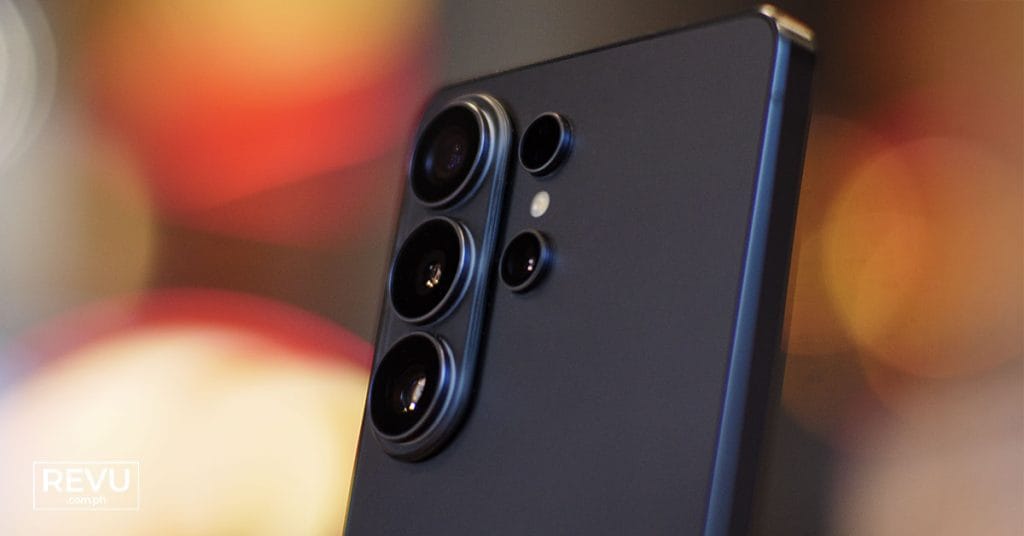
And because the wider aperture pulls in so much more ambient light, we actually had the headroom to play around with the manual settings. To freeze the players and the ball without turning them into a streaky blur, we cranked the shutter speed up to 1/1500 of a second.
Normally, doing this on a phone forces the ISO to skyrocket, leaving you with a grainy mess. But the Galaxy S26 Ultra managed to keep the ISO at totally acceptable levels, resulting in clear, bright images. We experimented with lower shutter speeds, but the fast-paced nature of a FIBA basketball game introduced too much motion blur, so 1/1500 sec became our sweet spot for the night. (We did use the unit’s other three cameras for some great wide and ultra-wide shots outside the arena before tip-off, but once the buzzer sounded, we lived almost entirely on that 50-megapixel telephoto shooter.)
However, there’s one minor trade-off to note: The new W-shape lens design results in a longer minimum focusing distance. That means you can’t pull off the same crazy macro shots that you could with the Samsung Galaxy S25 Ultra. It probably won’t affect the average user, but if you’re a fan of shooting macro photography of toys or small objects like us, it’s something to keep in mind. Still, if losing extreme macro is the price we pay for brighter, sharper telephoto performance overall, we are more than happy with the compromise.
Going pro with ExpertRAW
For a significant portion of the game, we ditched the standard camera app. Auto mode, even with Motion Photo enabled, just couldn’t reliably freeze the basketball in mid-air. That’s fine for casual snapshots, but we had our action photographer hats on, and we wanted to see how this powerhouse device handled a professional workflow.
Enter ExpertRAW.
Available via Samsung’s built-in app storefront, ExpertRAW is designed for users who want total granular control over their final image. After downloading it, we dialed in our preferred manual settings and saved them as a custom preset, a huge quality-of-life feature that saves you from having to re-tweak your exposure every time you open the app.
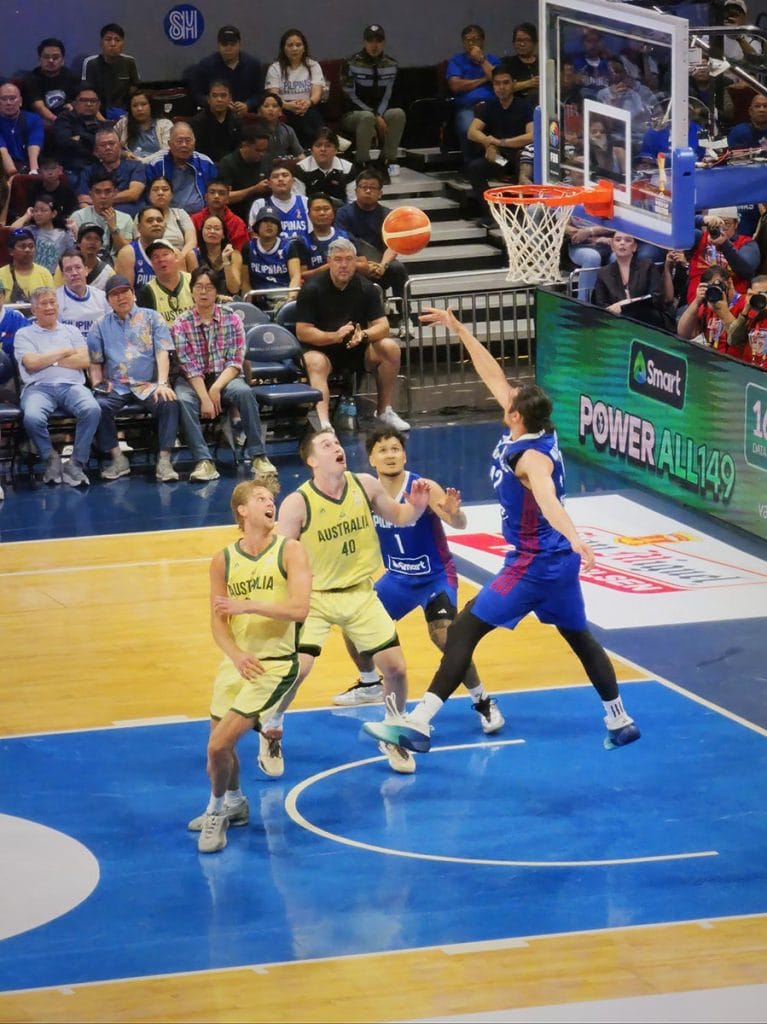
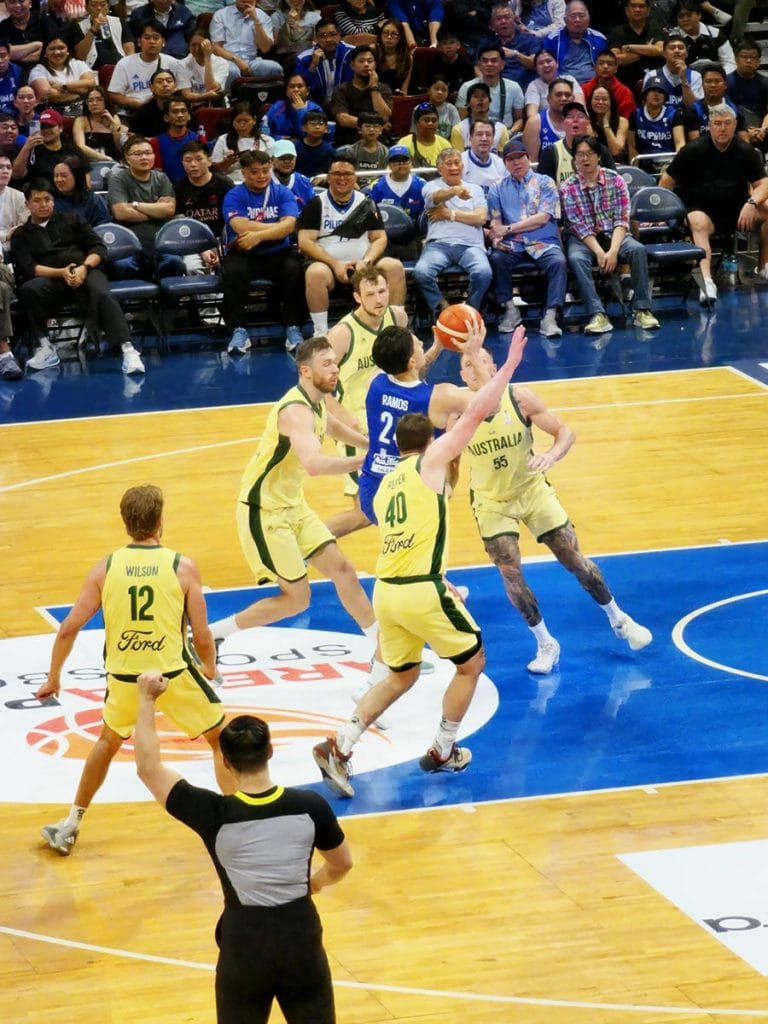
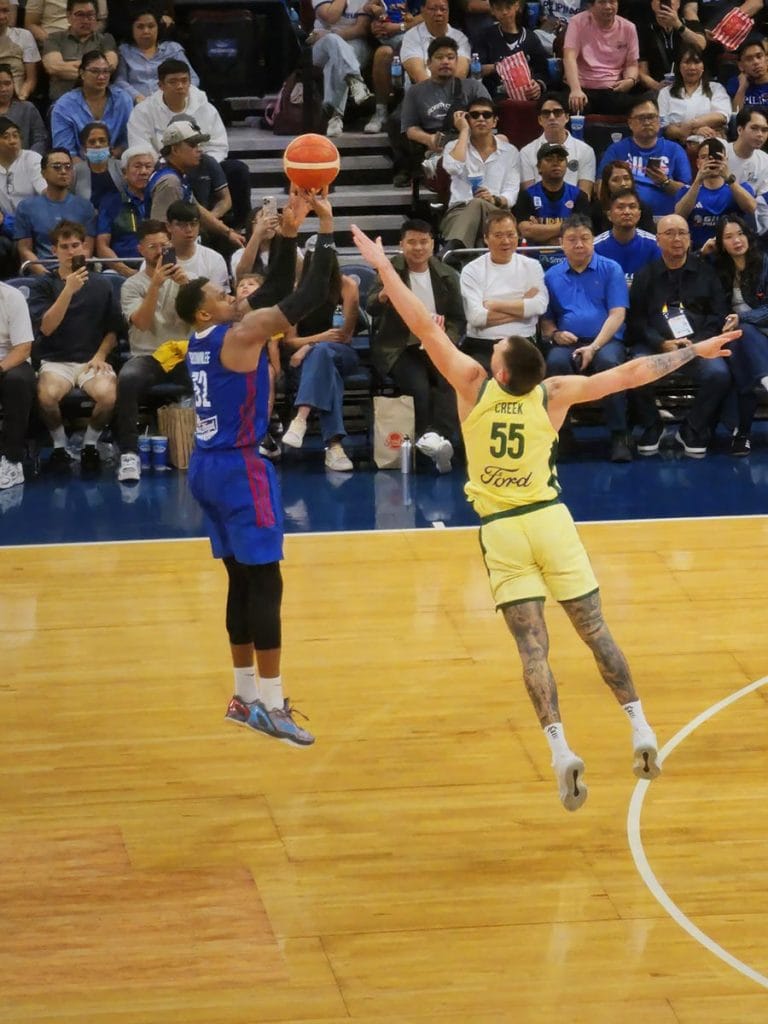

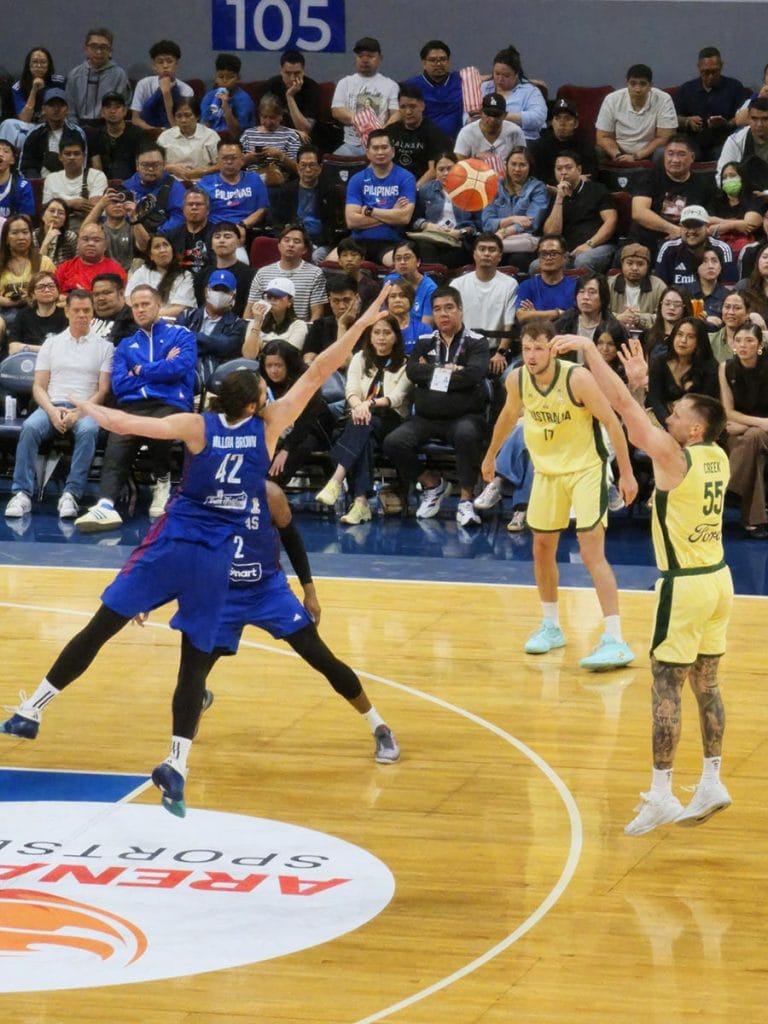
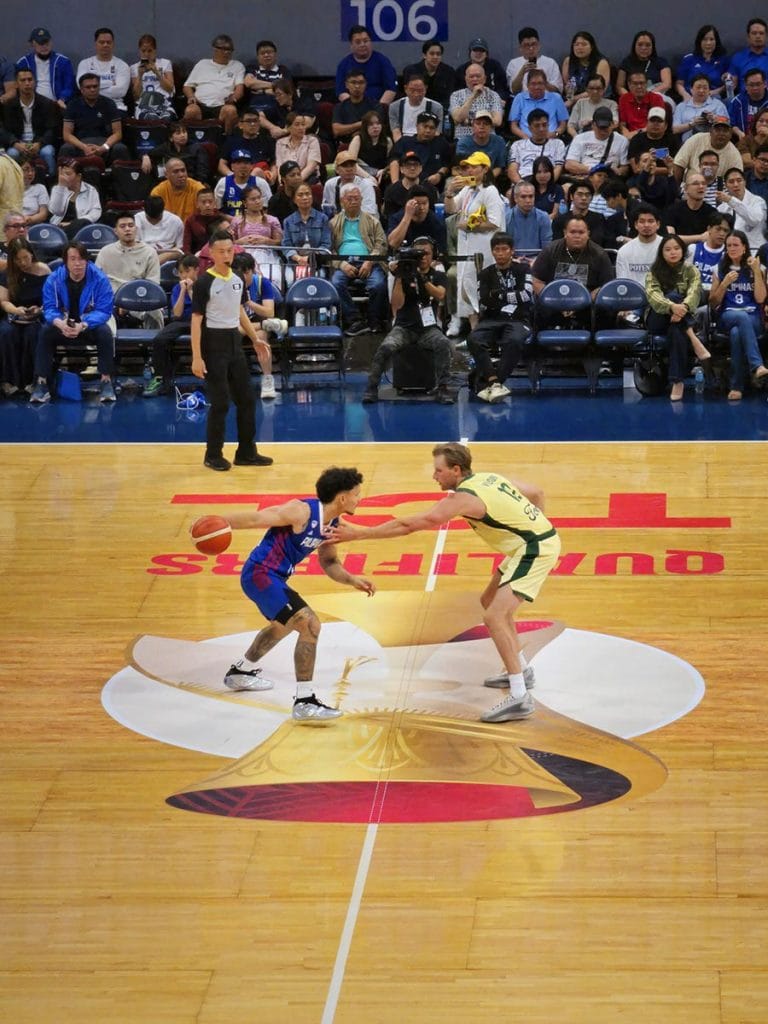
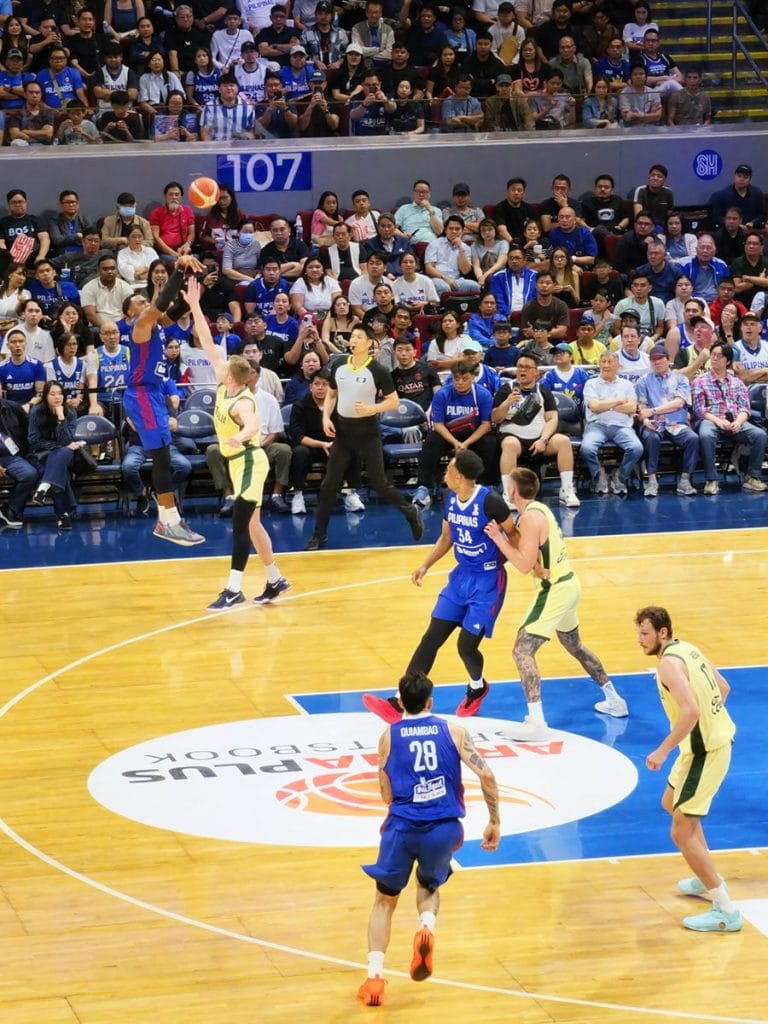
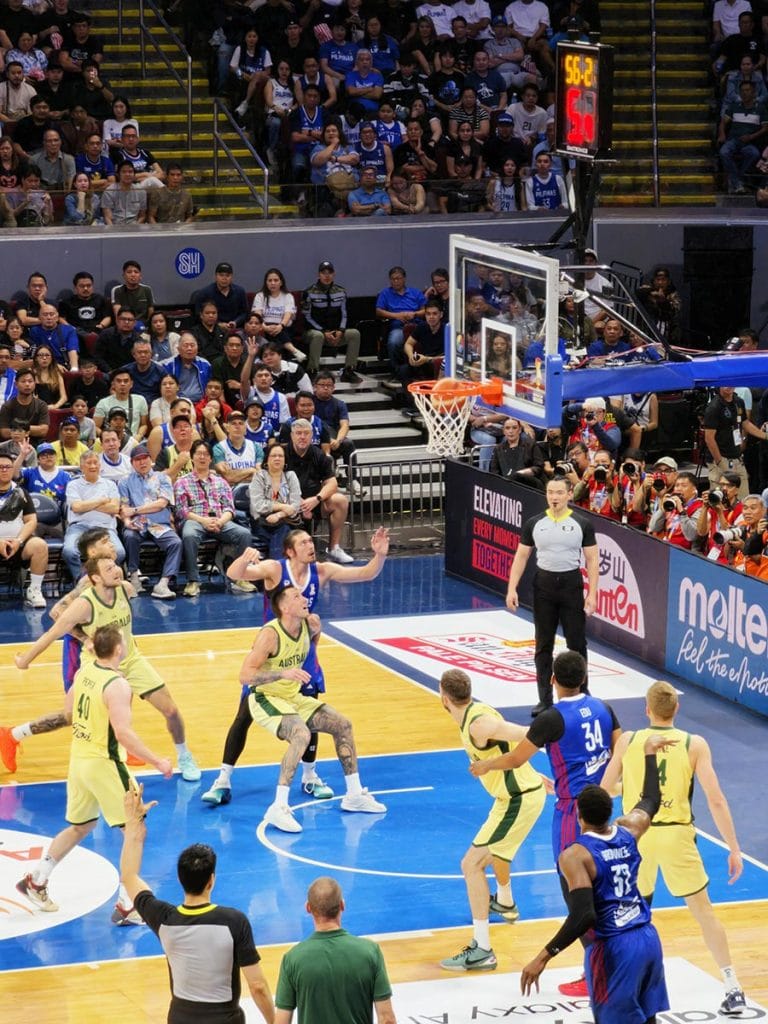
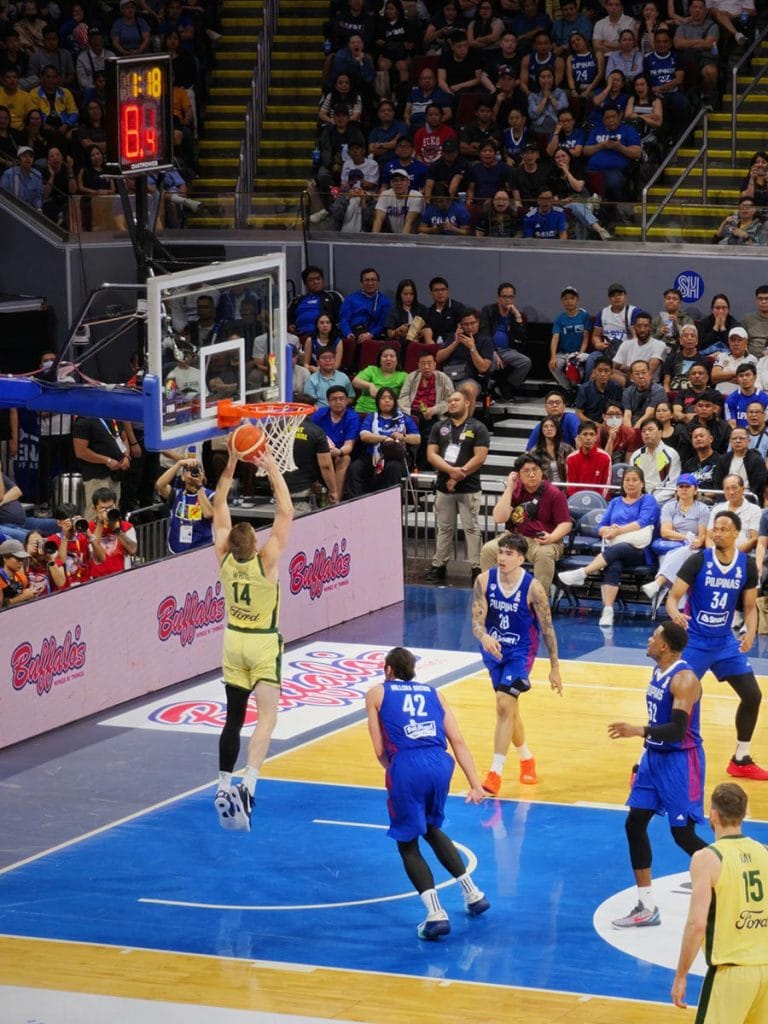
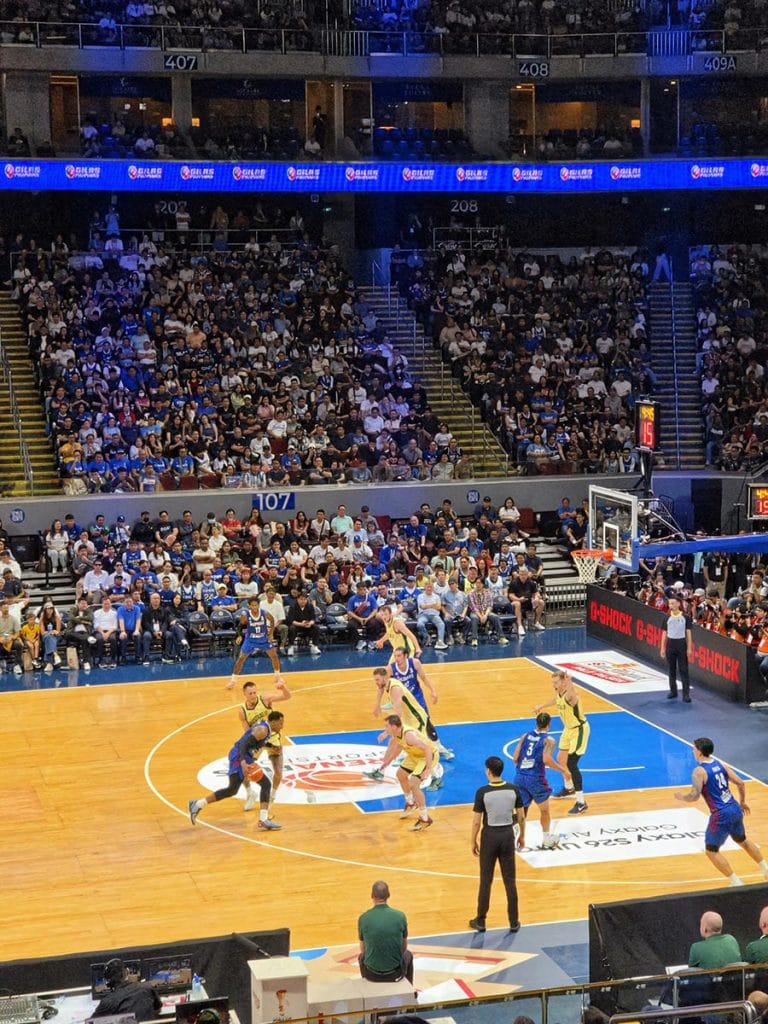
Sample ExpertRAW shots
ExpertRAW can conveniently capture both JPEG and RAW files simultaneously, meaning you can get a usable, processed JPEG to immediately fire off to social media, while pocketing the data-rich RAW file for later. Be aware that the app’s computational processing takes a moment, so you have to wait a bit before opening the RAW files to edit.
While ExpertRAW seamlessly integrates with Adobe Lightroom for Android, we chose to edit our shots using the smartphone’s native built-in editor, and the dynamic range we were able to pull from the shadows of the arena was incredibly impressive.
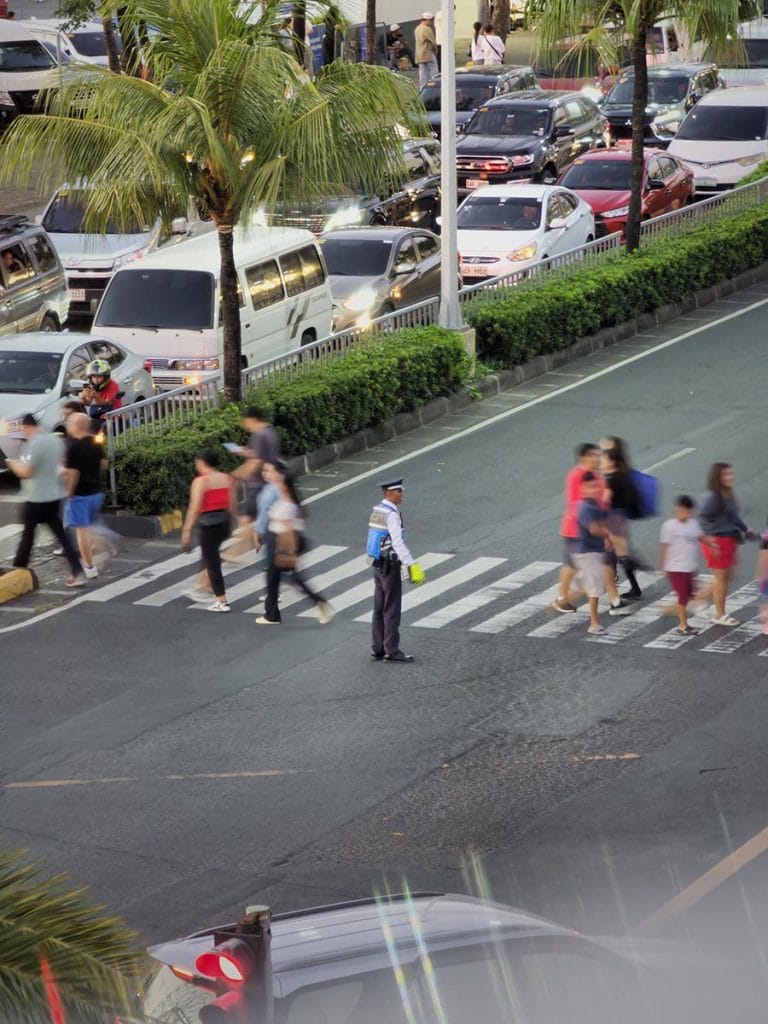

Just want to share these non-basketball shots as well
Shooting in LOG
Photography wasn’t our only objective; we also wanted to test the Samsung Galaxy S26 Ultra’s chops as a video rig, specifically focusing on its LOG video mode.
We shot a series of 4K 60 FPS clips in LOG. If you’re a seasoned videographer, you can take this flat, desaturated footage into a desktop editor and color-grade it to perfection. However, we wanted to see what the device could do entirely on its own. We applied Samsung’s native LUTs (read: color filters) directly within the gallery app to give the footage a dramatic, cinematic look. The prebuilt selection is a bit sparse at launch, but we’re hoping the company expands the LUT library in future software updates.
Crucially, Samsung’s improved stabilization algorithms make shooting handheld LOG footage entirely viable. The standard camera’s fantastic horizontal-lock stabilization isn’t available when shooting in LOG, but the phone’s baseline optical and electronic stabilization picked up the slack well enough.
@revuphilippines Can a smartphone really be a serious FIBA video rig? 🎥 We pushed the Samsung Galaxy S26 Ultra’s LOG mode to the limit during the Gilas vs. Australia game. From flat, desaturated 4K/60fps footage to cinematic color-grading using native LUTs — all handled right on the device. No desktop required. 🏀✨ For our full camera test, head to www.revu.com.ph. #GalaxyS26Ultra #NoBadSeats #RevuDotComDotPH @Samsung Philippines @Samsung @monch @Alora Uy Guerrero ♬ original sound – REVU Philippines
Testing the Samsung Galaxy S26 Ultra’s chops as a video rig, specifically focusing on its LOG video mode
The magic of GalaxyAI
If you’re wondering where the artificial intelligence fits into all of this, look no further.
When you’re shooting in a packed stadium, rogue photobombers and wandering hands are inevitable. This is where Galaxy AI swoops in to save a ruined shot. You’ve likely seen the viral TikToks by now, but using Samsung’s AI-powered photo-editing tools firsthand is something else.
Using the eraser function, we highlighted distracting people in the background of our photos. Not only did the AI erase them without leaving a messy, smeared trace, but it intelligently filled in the empty space with contextually accurate stadium seating, shoes, and uniform details. It looks so natural that, aside from the mandatory AI watermark stamped in the corner, most people would never be able to tell the image was doctored.
Final thoughts
Documenting fast-paced sports is the ultimate stress-test for any camera, let alone a smartphone. The Samsung Galaxy S26 Ultra passed with flying colors. It proved itself to be a fantastic, reliable tool for capturing high-stakes memories, backed by an impressive suite of pro-level hardware and software features.
While we walked out of the arena bummed that Gilas Pilipinas couldn’t secure the win against Australia, there was a silver lining. We can confidently report that anyone picking up this device to elevate their photo and video game isn’t going home disappointed.
In the Philippines, the Samsung Galaxy S26 Ultra starts at ₱86,990 (around $1,473) for the base variant with 12GB of physical RAM and 256GB of internal storage. Stepping up to the 12GB/512GB version bumps the price to ₱100,990 ($1,710), while the top-of-the-line 16GB/1TB configuration sets you back ₱121,990 ($2,065).
Samsung Galaxy S26 Ultra specs
- 6.9-inch QHD+ Dynamic AMOLED 2X Display, 1-120Hz adaptive refresh rate, built-in Privacy Display
- 3nm Qualcomm Snapdragon 8 Elite Gen 5 for Galaxy
- Adreno 840 GPU
- 12GB/16GB RAM
- 256GB/512GB/1TB storage
- Quad rear cameras: 200-megapixel, f/1.4 main, 50-megapixel ultrawide, 50-megapixel telephoto (5x optical zoom), 10-megapixel telephoto (3x optical zoom)
- 12-megapixel front camera
- 5,000mAh battery
- 60-watt wired charging (up to 75% in 30 mins), Super Fast Wireless Charging, Wireless PowerShare
- IP68 water and dust resistance
- One UI 8.5 based on Android 16
- Color options: Cobalt Violet, White, Black, Sky Blue, Pink Gold, Silver Shadow
Learn About This Author
