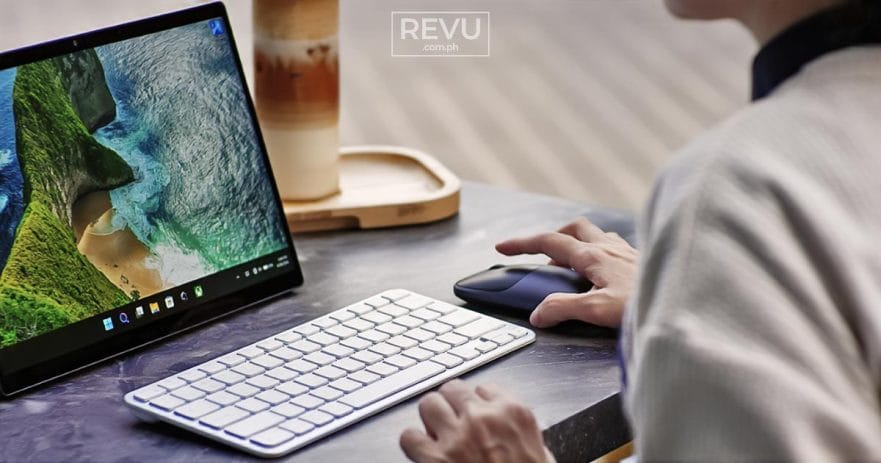
Running an online technology-lifestyle publication means the office is rarely a static desk. It’s the dining table. It’s the couch. More often than not, it’s a corner table at a coffee shop, flanked by a cappuccino and whatever pastry looked good in the display case.

But that mobility comes with a persistent headache. We are constantly jumping between our own daily drivers and whatever review unit just landed on our desk — like the 2-in-1 detachable tablet we’ve been using recently. Going from macOS to Windows or Android usually means carrying multiple peripherals or suffering through the jarring reality of broken muscle memory when keyboard shortcuts don’t map correctly.

We’ve been spending time with the Satechi Slim EX Wireless Combo, brought in by Digital Walker, and it solves the multiplatform problem.
@revuphilippines For us, the office is wherever the coffee flows. ☕ Remote work means bouncing from a Mac at home to testing Windows 2‑in‑1s in cafés — and heavy gear or broken shortcuts kill the vibe fast. Watch how the Satechi Slim EX Wireless Combo fixes that. ⌨🖱 Check the full breakdown at www.revu.com.ph or grab yours at #DigitalWalkerPH to upgrade your hybrid setup. 🛒 #DeskEssentials #ProductivityTools #Satechi #RevuDotComDotPH @satechiofficial @digitalwalkerph @monch @Alora Uy Guerrero ♬ original sound – REVU Philippines
See how effortless it is to use the Satechi Slim EX Wireless Combo outside!
Premium build, practical switching
Inside the box, Satechi keeps things straightforward: You get the Slim EX1 wireless keyboard, the EX wireless mouse, USB-C charging cables, and the standard manuals. Right away, the hardware feels distinctly premium. Satechi stuck to its signature anodized aluminum aesthetic, which blends seamlessly into an Apple-heavy setup. The real appeal isn’t just the metallic finish; it’s the connectivity.
The keyboard can connect to four devices simultaneously, while the mouse handles three. Satechi equipped both with Bluetooth 5.3 and a low-latency 2.4GHz dongle, giving you options if Bluetooth gets finicky in crowded spaces.
The best feature for us is the physical OS switch on the keyboard. It’s a tiny toggle, but it makes a huge difference for hybrid workflows. You flip it, and your layout instantly remaps. Your copy-paste shortcuts feel native again, and you never lose a step when hopping from an iPad to a Windows machine.
Quiet enough for the coffee shop
In practice, the setup is a solid citizen in public spaces. The low-profile scissor keys offer smooth, tactile feedback without the obnoxious clatter of a mechanical board. The mouse clicks are similarly subdued. You get the precision of a machined aluminum scroll wheel without being the most disruptive people in the room.
Battery life is nothing short of remarkable. A single charge via USB-C delivers up to five weeks on the keyboard and about three months on the mouse. More interestingly, the batteries are removable and rechargeable, an intentional nod to upcoming EU eco-compliance standards for repairability. It’s a quiet guarantee that the hardware won’t become e-waste the minute the lithium-ion cells degrade.
For anyone whose workspace changes daily, the Satechi Slim EX Wireless Combo is an easy recommendation. It’s a compact, one-zone layout that keeps the gear bag light, looks great next to a coffee cup, and completely removes the friction of jumping across operating systems.
The Satechi Slim EX Wireless Combo is available in the Philippines through Digital Walker. Sold separately, the Slim EX1 Wireless Keyboard carries a price of ₱3,390 (about $55), while the Slim EX Wireless Mouse retails for ₱2,190 (around $35).
Learn About This Author