
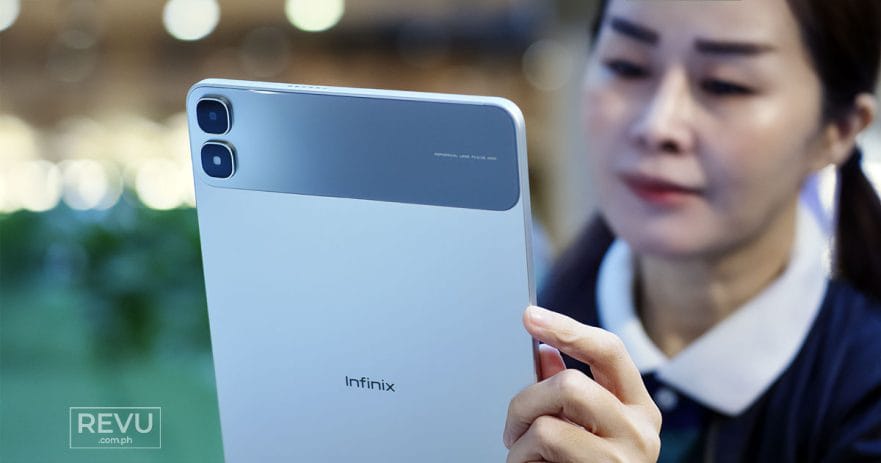
Premium entertainment without the premium price? That’s the pitch behind the Infinix XPAD 30 Pro, now available in the Philippines for ₱12,999 (roughly $207), ₱1,000 ($16) off its ₱13,999 ($223) SRP.

In our line of work, we’ve seen plenty of budget tablets promise the world, but this 6GB/128GB model, with support for up to 12GB of extended RAM, seems to have the hardware — and software chops — to back it up.
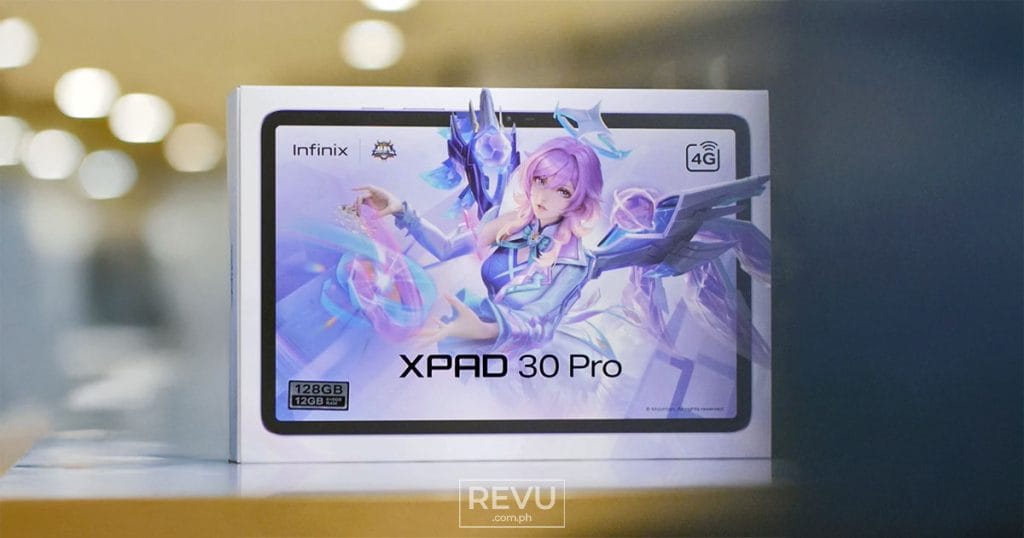
Infinix offers the XPAD 30 Pro in Twilight Purple, Anthracite Grey, and the sleek Titanium Silver finish we tested. Inside the box, you’ll find a folio case and a one-year Viu Premium subscription to kick-start your entertainment fix. Notably absent from our review kit was the XPENCIL stylus, so we tested the tablet strictly as a standalone touch experience.
Light, not flimsy
The first thing you notice when you pick up the Infinix XPAD 30 Pro — which recently earned the 2026 European Product Design Award for its sleek design – is what you don’t feel: the weight. At just 6.6mm thin and 476 grams, it’s slimmer and lighter than many of the smartphones we carry every day, let alone most mainstream tablets. It’s about 12.6% lighter than the previous generation, too. Slip it into a bag pocket or sleeve, and it barely feels like extra cargo. That’s an impressive engineering feat, especially considering the company managed to squeeze a hefty 8,200mAh battery into the chassis.
Flip it over, and you’ll find what Infinix calls a “Geometric Cloud Window” – a fancy name for the contrasting rectangular island framing the 8-megapixel rear camera. It’s a smart design choice, breaking up the otherwise flat metal backplate with a welcome bit of visual contrast.
While tablet cameras rarely win awards, the single rear sensor performs adequately for its price range, handling document scans, reference work, and casual snapshots when your smartphone isn’t within arm’s reach. Up front, you get another 8-megapixel camera that gets the job done, though there’s no flash to speak of.
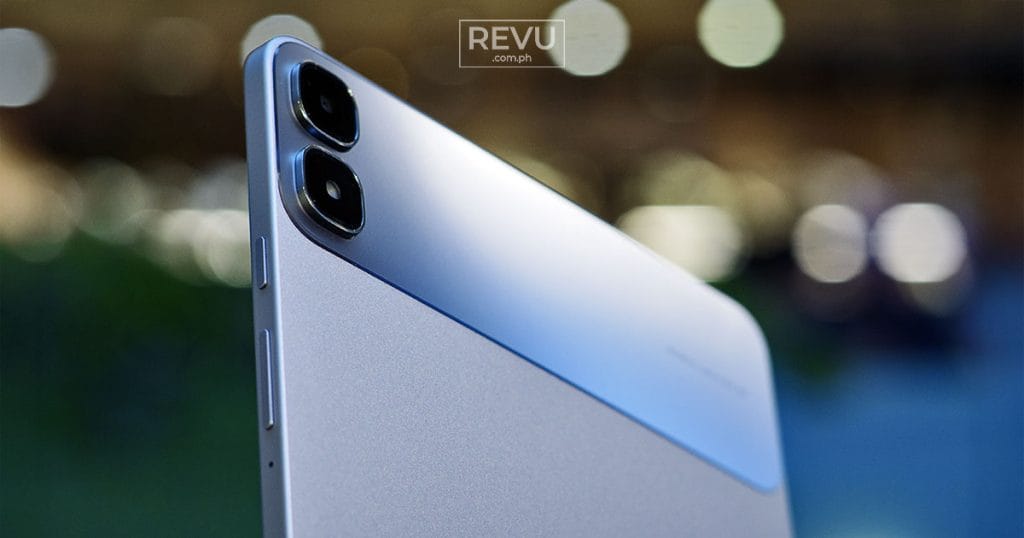
The unibody chassis feels exceptional for a device at this price point. That clean, uninterrupted look is largely because Infinix used FMDA technology to hide the antenna lines. Metal usually blocks wireless signals, forcing manufacturers to add ugly plastic strips to the frame. This design bakes the antenna directly into the structure, giving you a seamless backplate that, in theory, won’t drop your LTE connection no matter how you hold it.
You might think a tablet this thin is fragile. It isn’t. The Infinix XPAD 30 Pro went through 45 different environmental and physical trials, even surviving a 1.4-meter drop test and intense torsion bending. Because of this, tossing this unit into a cramped backpack shouldn’t warp the frame. It’s rated to endure extreme climates ranging from -10°C to 55°C and up to 90% relative humidity — which is especially nice to know for folks here in the Philippines, where the weather can be completely unpredictable during the wet season.
And while we didn’t get to test the optional keyboard case during our review, we can definitely see its appeal. It can transform the tablet into a capable little typing station for knocking out work during a cramped commute or answering emails at a corner table, without weighing down your bag.
Built for the binge
Anytime a brand calls a budget tablet an entertainment machine, the display must back it up. On paper, the 11-inch TFT panel brings respectable numbers – a sharp 2,560 x 1,600 resolution, 275 dots per inch, up to 90Hz refresh, and a peak brightness of 550 nits inside an 85% screen-to-body ratio. But spec sheets only get you so far.
In actual use, we threw everything at it from nature documentaries to late-night rewatches of the Peter Jackson Lord of the Rings trilogy on Netflix just to see how the contrast holds up. It punches above its weight. Colors look rich and natural minus that artificial pop, and shadows stay reasonably detailed instead of getting crushed into murky black smudges.
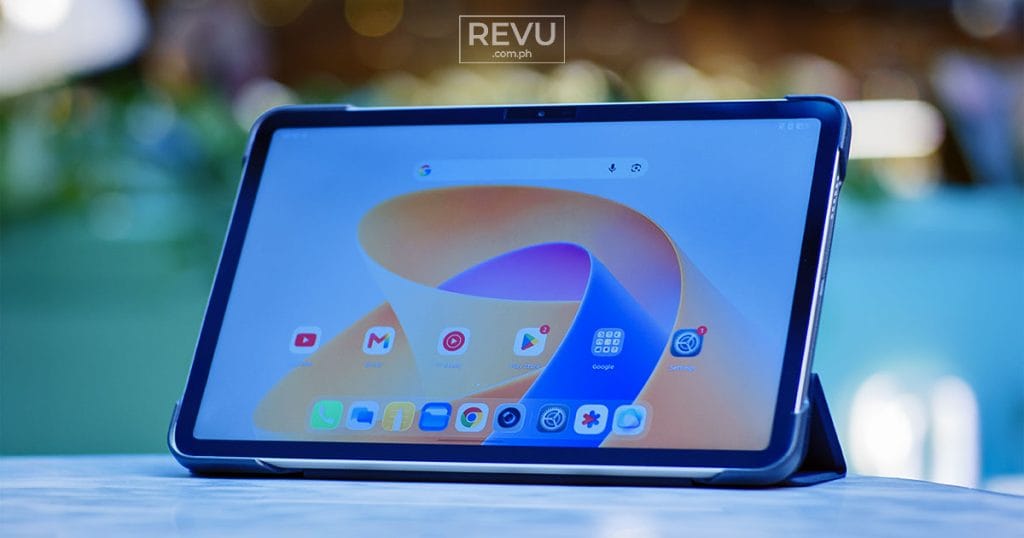
That’s obviously nice and all, but the Infinix XPAD 30 Pro really proves its worth during binge-heavy sessions. Instead of relying on a software toggle that turns everything a sickly yellow, Infinix actually bakes physical hardware right into the LEDs to filter out 70% of harmful blue light at the source. Toss in full-spectrum PWM dimming to minimize screen flicker, and you can spend hours reviewing documents, catching up on webtoons, or reading comics without straining your eyes. Even when you pinch and zoom right into the fine print, the character lines stay sharp.
For refresh rate, you can choose between Auto, a battery-saving 60Hz lock, or the smoother 90Hz mode. Selecting 90Hz also lets you assign the higher refresh rate on a per-app basis, ensuring your favorite social feeds and games can take full advantage of the smoother display.
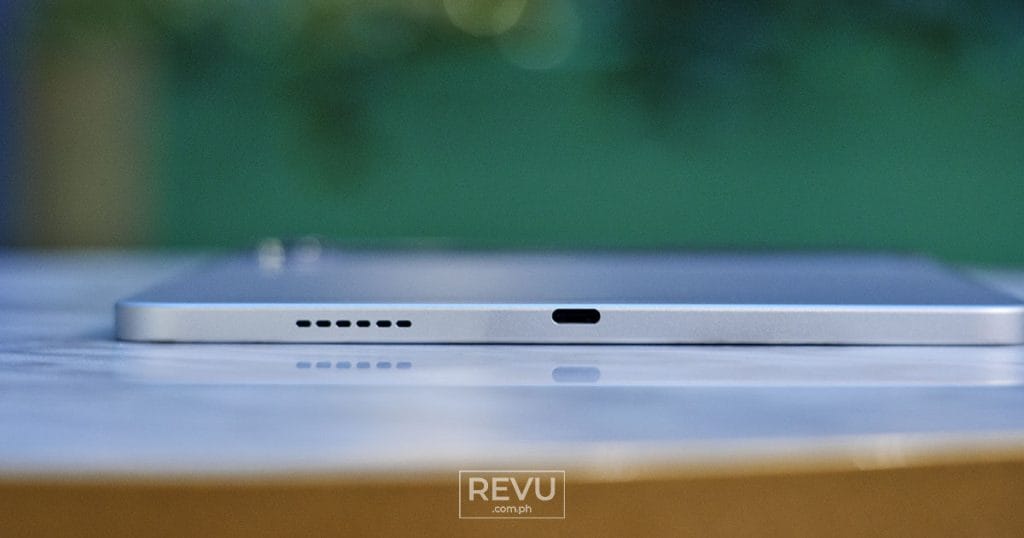
To round out the multimedia package, the side-mounted stereo speakers with DTS surround-sound support pack enough clarity and volume to handle video streaming or background YouTube playback without forcing you to scramble for a pair of wireless earbuds.
Reliable performance, outstanding battery life
Under the hood, the MediaTek Helio G200 Ultimate processor, built on an efficient 6nm process, handles day-to-day tasks and casual gaming with relative ease. It’s firmly a lower-midrange chip rather than a powerhouse, but it held its own in our multitasking tests. Juggling a dozen Chrome tabs while switching between YouTube and Facebook, we found that the interface rarely stuttered compared with other tablets in this price bracket.
Of course, the Helio G200 isn’t designed to max out heavy hitters like Genshin Impact at peak settings. But given the Mobile Legends-branded packaging sitting on our desk — plus the fact that the tablet was tested directly by the Mobile Legends Professional League (MPL) and international esports organization Aurora Gaming — we naturally had to see how it handles everyday esports. Firing up MLBB, the tablet performed admirably. Frame rates stayed steady and smooth even when full-team clashes cluttered the screen with particle effects. Better yet, the thermal management held up nicely; the metal backplate didn’t turn into a mini hand-warmer during prolonged use.

To round out the gaming experience, Infinix threw in its X-Boost gaming menu. A quick swipe from the edge of the screen pulls up the overlay, giving you access to a dedicated E-Sports mode. Flipping this on immediately blocks out annoying group chat notifications and funnels all the device’s available processing power straight into your game so you don’t get interrupted mid-match. There’s also a handy AI Voice Changer built directly into the system, which might serve as a fun little parlor trick for messing with your squad in the in-game lobbies.
And if you like to game or stream while plugged into the wall, the Infinix XPAD 30 Pro also supports bypass charging. By routing power straight to the system instead of constantly cycling through the battery, it keeps temperatures low and prevents excess wear on the hardware.
For students bouncing between classes and study sessions, or remote workers trying to fire off emails during a long commute, the built-in 4G SIM slot is perhaps the standout feature here. Instead of burning through your phone battery by tethering a hotspot all day, this tablet handles its own data connection. And if you find yourself in a pinch, the Infinix XPAD 30 Pro can return the favor and act as a mobile hotspot for your other gear, saving your daily driver from pulling double duty.
All these features don’t mean much if the tablet dies halfway through the day. Fortunately, the 8,200mAh cell has some serious legs. The company claims up to 1,666 hours of standby time, 21.5 hours of online video playback, and 160 hours of music.
During our Wi-Fi testing with the display set to 50% brightness, an hour of 1080p YouTube streaming used just 6% of the battery, while an hour of Netflix consumed a modest 7%. Your mileage may vary, of course, but the real-world results were equally impressive. Through a mix of daily workloads, our unit comfortably lasted a full day of heavy use — from morning productivity tasks to an afternoon gaming session and a movie on the commute home — with plenty of juice left in the tank.
When it finally needs a top-up, the 18-watt fast charging provides enough power during a midday break to keep you going. However, if you’re trying to charge that huge 8,200mAh battery from zero back to full, you might want to plug it in and walk away for a couple of hours.
Productivity helper
Beyond raw performance, Infinix packed the XPAD 30 Pro with a handful of software tricks tailored specifically for students and note-takers. Take a photo of a cluttered whiteboard, and the system flattens and cleans it up into a readable document.
Meanwhile, the ChatGPT-powered Folax Voice Assistant goes beyond basic voice prompts and translations. You can, for example, upload audio lectures to get clean transcriptions — so you don’t have to frantically scribble everything down word-for-word – as well as field research questions and manage daily reminders through natural conversation.
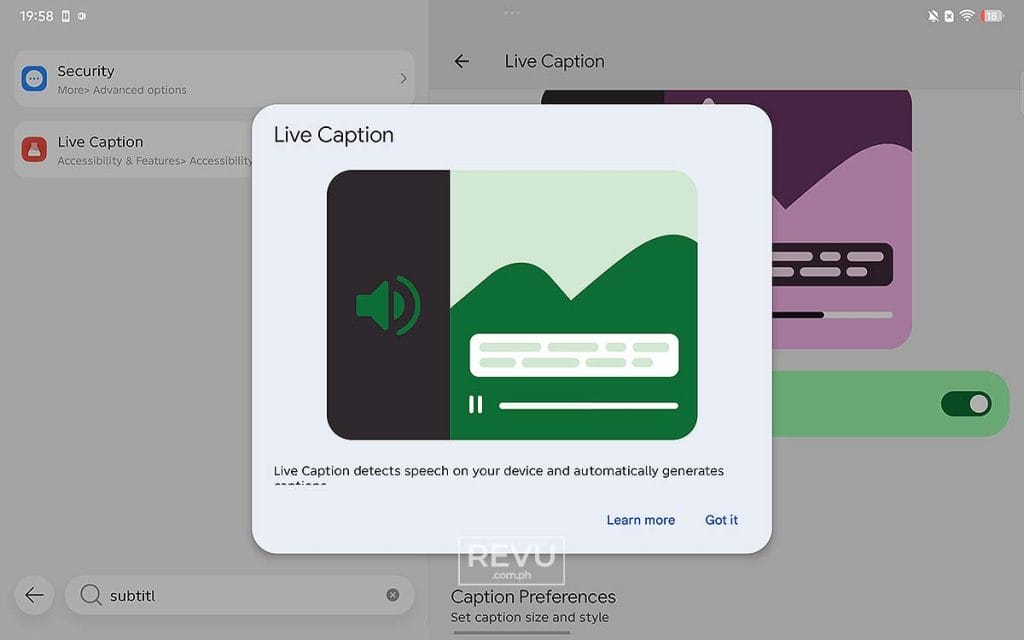
But it’s not all about hitting the books. Infinix also includes what it calls an AI-Powered All-Scenario Experience Upgrade to elevate your downtime. Say you’re watching a foreign film or a clip without native captions, the AI-subtitled Video Streaming generates real-time text so you never miss a beat. Curious about an actor or a song playing in a scene? The AI One-tap Entertainment Info Query lets you pull up details instantly. And if you like to tinker creatively, the AI Impromptu Content Creation tools give you a quick, frictionless way to craft prompt-based video sequences and character animations right on the tablet.
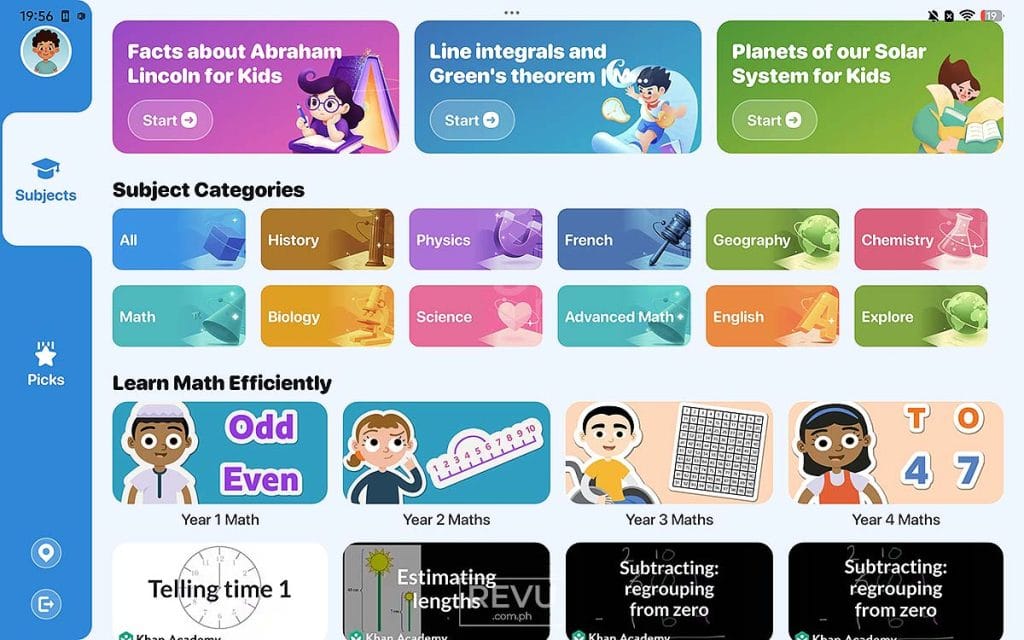


Preinstalled apps like Learning Center, EduDesk, and E-Book provide handy study materials right out of the box without needing to hunt them down online
Then you have the preinstalled suite of student-focused apps. Learning Center, EduDesk, and E-Book provide handy study materials right out of the box without needing to hunt them down online. In our own household, we found the setup useful for our grade schooler, particularly since some subjects can be filtered down to a specific language, making it easy to pull up helpful video content to improve her fluency in Filipino.
There’s also Hi Tutor, which looks promising for self-paced learning. The catch is that unlocking its full potential requires a paid subscription from the get-go, with no free trial available to test the waters first.
Final thoughts
At ₱13,999 ($223) — or ₱12,999 ($207) if you catch it on an introductory promo — the Infinix XPAD 30 Pro knows exactly what it wants to be. There’s also the Infinix XPAD 30 Pro + X Keyboard 11 Bundle retailing for ₱14,699 ($234), available exclusively on the brand’s official TikTok Shop. It’s a well-constructed, highly portable media machine that doubles as a decently capable entertainment tablet. The screen is great, the LTE connectivity is a lifesaver when you’re working on the go, and the battery simply refuses to quit. If you’re hunting for a versatile daily driver that won’t empty your wallet, this one should earn its spot at the top of the shortlist.
Infinix XPAD 30 Pro specs
- 11-inch TFT display, 2,560 x 1,600 resolution, 90Hz refresh rate, 550 nits peak brightness, full-spectrum PWM dimming
- 6nm MediaTek Helio G200 Ultimate 4G processor
- 6GB RAM (supports up to 12GB extended RAM)
- 128GB storage
- 8-megapixel rear camera
- 8-megapixel front camera
- Side-mounted stereo speakers with DTS surround sound
- 4G LTE connectivity (with mobile hotspot support)
- 8,200mAh battery
- 18W fast charging, supports bypass charging
- Android 16-based XOS 16.3
- ChatGPT-powered Folax Voice Assistant
- 6.6mm thickness
- 476g weight
- Colors: Twilight Purple, Anthracite Grey, and Titanium Silver
Learn About This Author
