
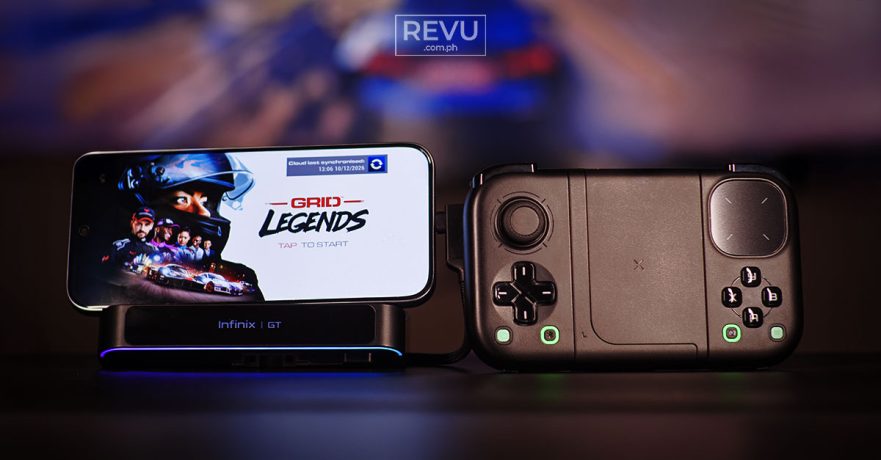
Today’s gaming phones boast console-level power, yet relying on a flat touchscreen creates an identity crisis. While fine for casual games, console-quality titles expose the glaring lack of tactile feedback, leaving you with cramped hands, blocked interfaces, and a device that might feel like a frying pan after extended use.
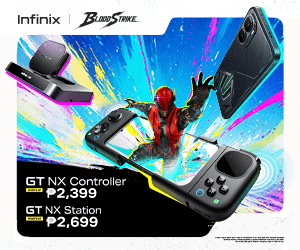
Infinix understands these limitations perfectly. To bridge the gap between casual swiping and competitive play, the company recently expanded its GT lineup with two accessories: the Infinix GT NX Controller and the Infinix GT NX Station.
These new peripherals join an already impressive hardware family aimed squarely at the hardcore demographic. Anchoring the ecosystem is the Infinix GT 50 Pro, a gaming phone we reviewed earlier that notably comes bundled with a GT MagCase and a GT MagCharge Cooler 2.0 magnetic accessory straight out of the box. It boasts a MediaTek Dimensity 8400 Ultimate processor for demanding games and workloads, a self-developed N1 Network chip for stronger signals, HydroFlow Liquid Cooling, and tactile shoulder triggers.
The ecosystem is rounded out by the Infinix GT Buds 5 wireless earbuds, featuring LE Audio, 44ms ultra-low latency, and Dolby Spatial Audio for precise sound positioning, and the Infinix GT Watch 5 Pro, an esports-oriented smartwatch that acts as a smart secondary display for notifications during gameplay. As a collective, this lineup proves Infinix isn’t just selling standalone gadgets; the Transsion sub-brand is building a connected ecosystem designed to dominate the mobile-gaming landscape.
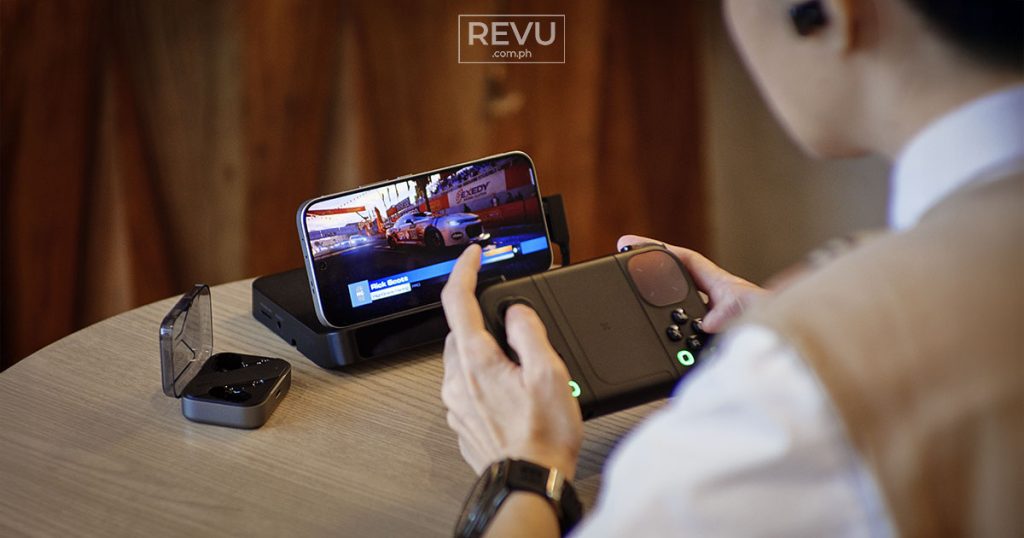
While the controller and dock can certainly be used independently or paired with other devices, it’s worth noting that they’re engineered from the ground up to work seamlessly together, particularly to complement the GT 50 Pro.
That being said, they’re also compatible with non-Infinix Android phones. However, stepping outside the Infinix GT Series means you’ll miss out on a few useful ecosystem-locked features. Chief among these is Mapping mode. This software feature allows you to virtually map the controller’s physical buttons to any specific point on your touchscreen — a literal game-changer because it means practically any mobile game can be configured to work with the GT NX Controller, even titles that completely lack official controller support from the developers. If you are a fan of MOBAs, which traditionally refuse to support gamepad inputs to keep the playing field level, Mapping mode effectively bypasses that restriction, giving you an alternative control advantage over touch-only players.
Infinix GT NX Controller
Right out of the box, the Infinix GT NX Controller scores immediate points by including a hard carrying case. This might sound like a minor detail, but it’s actually a quality-of-life win for anyone who travels. We usually have to hunt down third-party cases for mobile controllers on online marketplaces, only to worry about whether they will actually fit properly or provide enough protection inside a packed backpack. Including a protective shell in the box shows that Infinix really understands how mobile gamers commute.
Once out of the case, the hardware itself feels surprisingly premium. Despite its accessible price point, the build quality does not come across as cheap, hollow, or easily breakable. The ergonomically designed, laser-textured grip wrapped around the handles is a nice touch. If we had one minor subjective complaint, it would be that we wish the grip area were slightly larger to accommodate bigger hands during marathon sessions.
Unlike most controllers, this one has a modular design. Essentially, the controller is split into two separate, independent halves, each with its own Power button and USB-C charging port. With a simple press of a quick-release button, these pieces can secure your smartphone, support a cooler (like the Infinix GT MagCharge Cooler), or pair with each other to form a unified gamepad. Because the halves operate independently, you have the freedom to use just one side at a time, which can change how you interact with different game genres.
When it comes to the actual inputs, the durability of the thumbsticks and the left and right triggers inspires confidence, as both use Hall effect sensors designed to prevent stick drift. The controller offers a comprehensive suite of inputs, including left and right bumpers, a D-Pad, standard A/B/X/Y face buttons, a View button, a Menu button, a dedicated Bluetooth pairing button, and even a Screenshot button for easily capturing gameplay moments.
We’re fairly certain the face buttons don’t use mechanical micro-switches; they seem to rely on a traditional membrane layer. For a lot of hardcore PC gamers, the lack of mechanical clickiness might sound like a downside, but it works fine for us. We actually prefer the slightly mushy feel of these membrane face buttons rather than the loud and stiff feedback you get from cheaper mechanical alternatives.
What truly sets the Infinix GT NX Controller apart, though, is the touchpad on the right half. Taking a page from the Steam Deck’s playbook, this is the very first mobile controller we’ve tested to incorporate a precision glass trackpad. For first-person shooters, this trackpad acts almost like a computer mouse, bridging the gap in touch aiming and giving you a level of micro-accuracy that a tiny analog stick can’t replicate. Adding to the immersion is the controller’s haptic feedback. Through Infinix’s own XArena app, you can adjust the haptic intensity across three levels: Weak, Medium (the default), or Strong.
Infinix also implemented a clever RGB status indicator ring that changes color based on your current usage scenario:
- Native mode (blue): This indicates your standard Bluetooth connection for games that natively support controllers.
- Mapping mode (green): As mentioned earlier, this one is exclusive to supported Infinix devices like the GT 50 Pro, letting you overlay button inputs onto the touchscreen.
- Split mode (yellow): Used when the controller halves are operating entirely independently from one another.
- Charging/low battery (red): A standard visual alert so you do not abruptly disconnect in the middle of a team fight.
5 ways to play
That physical flexibility we talked about earlier introduces five different setups, giving you entirely new ways to play:
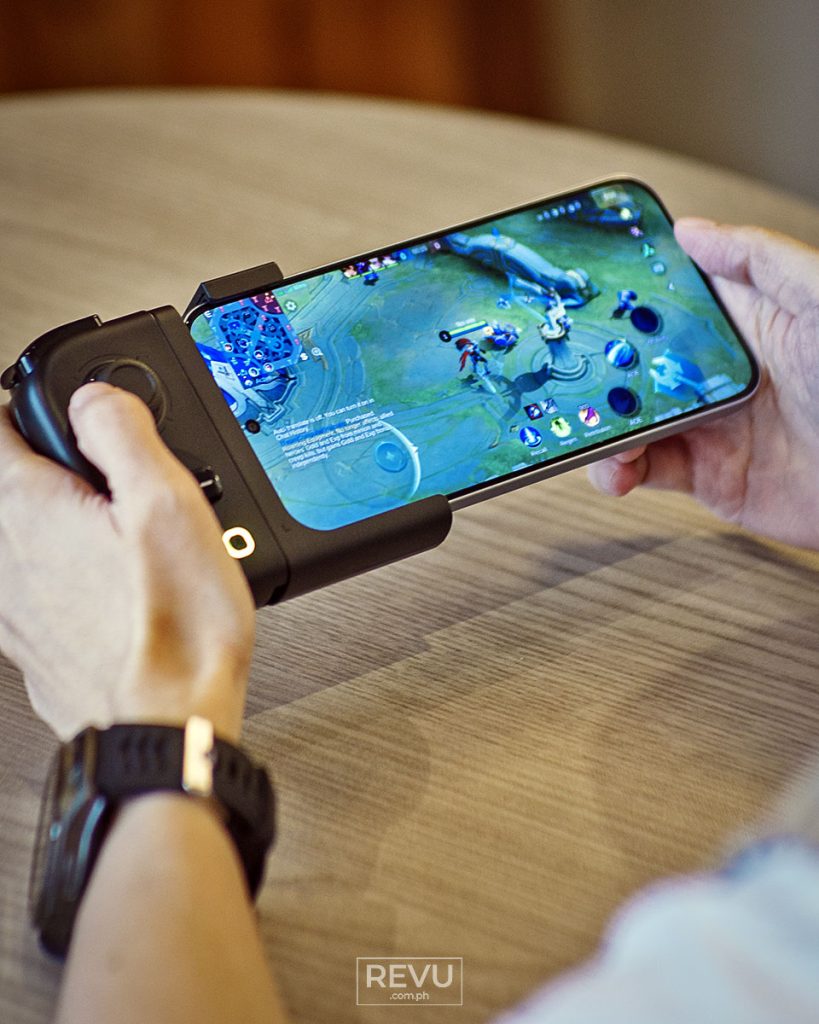
Mode 1: Left controller + smartphone. This configuration, which Infinix says is designed for those who spend their evenings grinding ranks in MOBAs, fast-paced battle royales, and first-person shooters, involves attaching only the left half of the gamepad to your phone. This gives your left thumb access to a physical, tactile analog stick for fluid character movement, along with physical shoulder triggers for instantly activating quick skills. Meanwhile, your right hand remains entirely free to tap, swipe, and execute complex skill combinations directly on the glass. It is the ultimate hybrid control scheme, blending analog movement with touchscreen targeting.
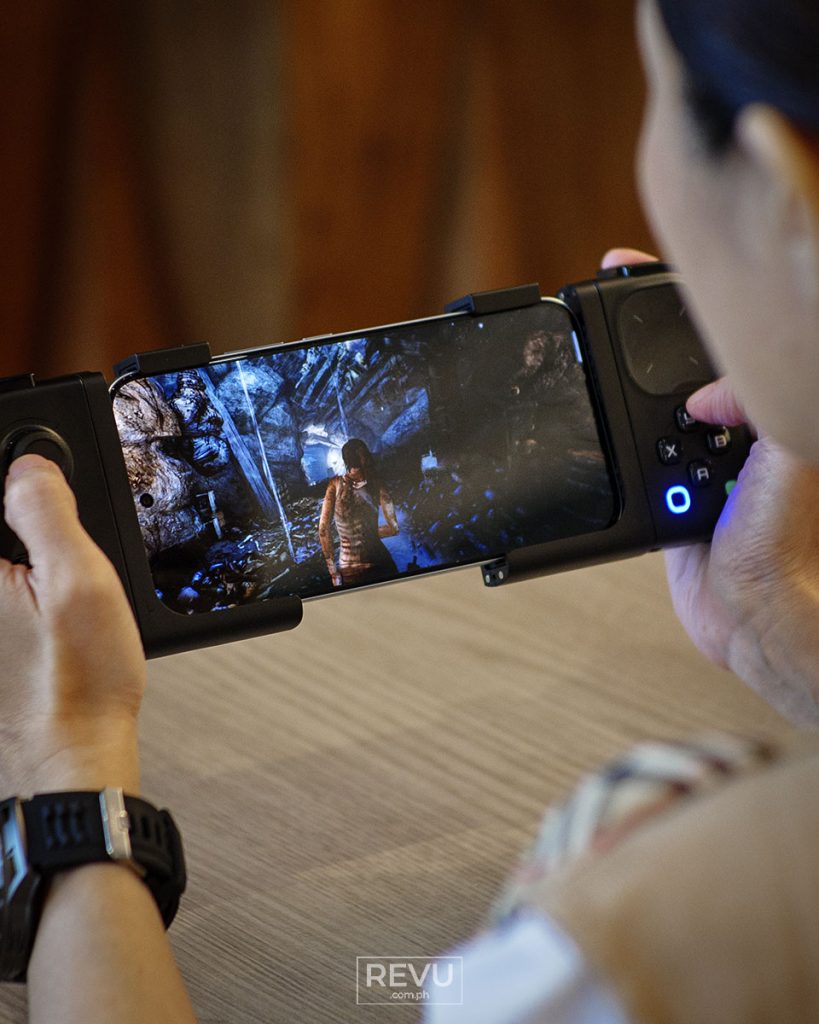
Mode 2: Dual controllers + smartphone. This is the traditional mode of play that transforms your mobile phone into a handheld console similar to a Nintendo Switch. You attach both the left and right peripheral halves to either end of your device. For open-world action RPGs or action-adventure titles that demand dual-stick camera control, this is probably the layout you’ll default to.
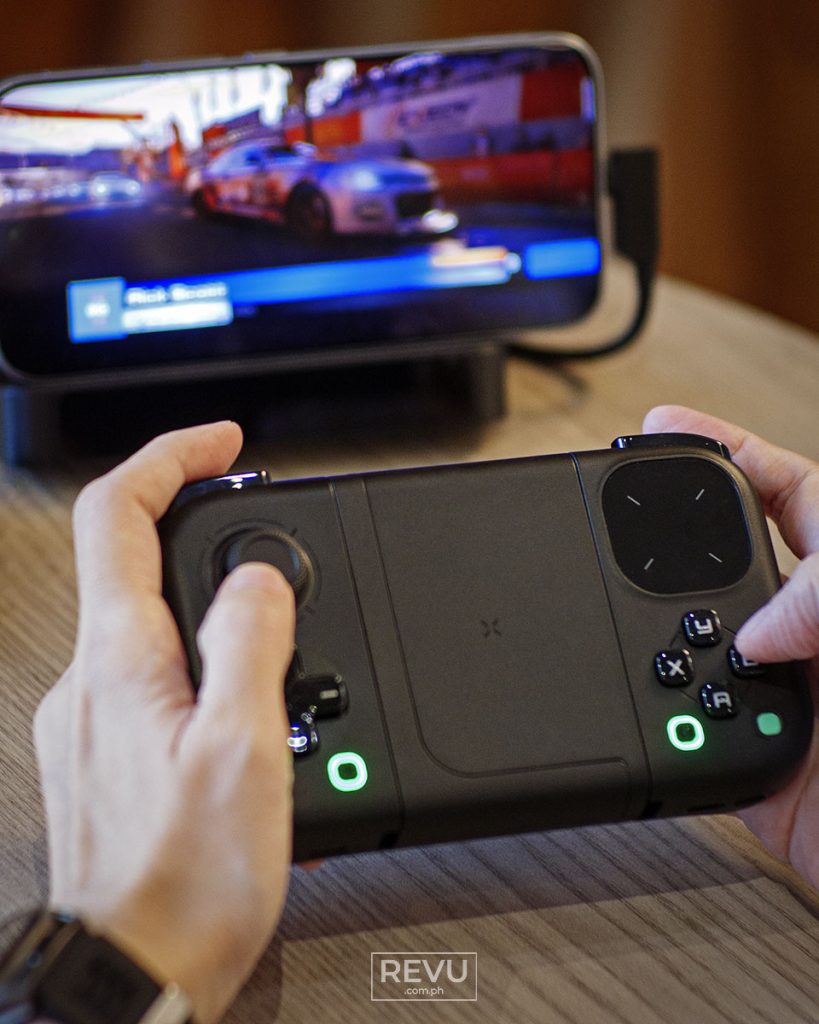
Mode 3: Integrated full-size controller. Operating with the same button layout as Mode 2, this setup ditches the phone clamp. Instead, the two controller halves seamlessly snap together to create a unified, standalone gamepad. This is your go-to configuration for the Infinix GT NX Station dock, as well as for oversized devices like tablets and laptops. Our PC testing went off without a hitch; just remember that if the glass touchpad fails to emulate the right analog stick, you likely need to force the device into Native mode (blue LED) by pressing the mode-switch buttons simultaneously.
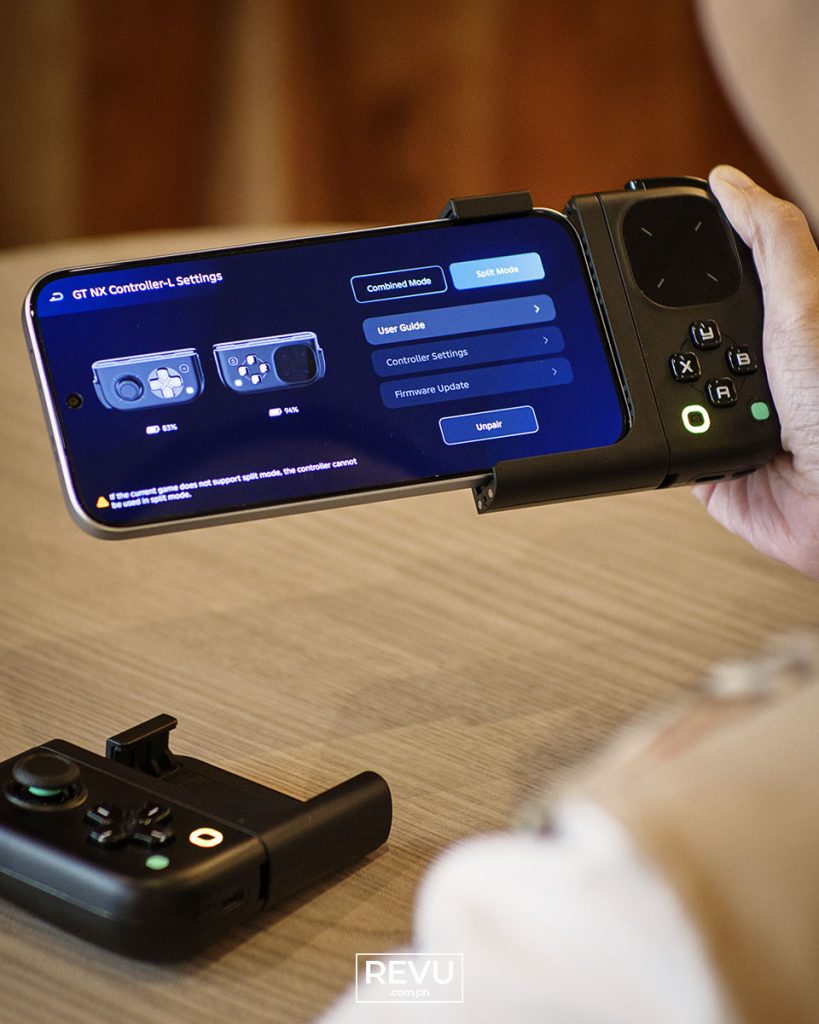
Mode 4: Split controllers. By keeping the left and right halves entirely separated in each hand, this mode frees you from being tethered to the screen. We found that it’s a great way to run older console generations via emulators, especially those relying on simple D-pad inputs and face buttons without requiring dual analog sticks. Best of all, you can hand one side to a friend for couch co-op, turning a solo trip down memory lane into a relaxed multiplayer session.
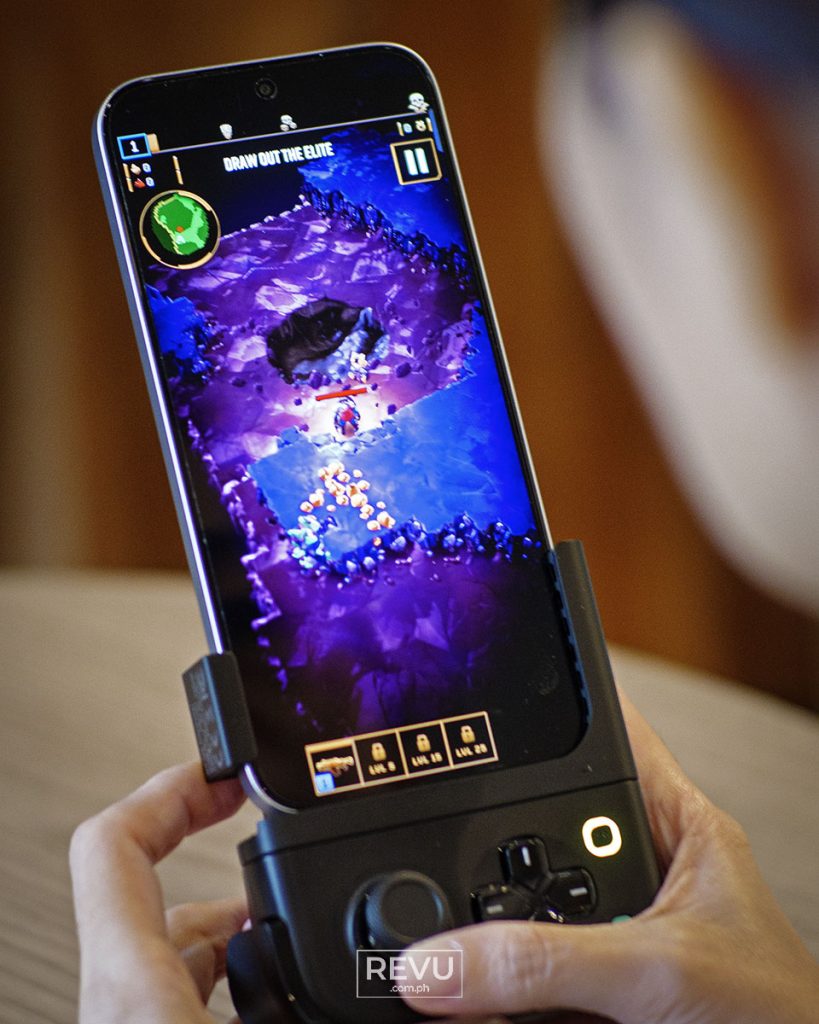
Mode 5: Left controller + smartphone (portrait mode). While we don’t typically play games on our devices in a vertical orientation, we do play one highly addictive game that specifically supports this viewing angle: Deep Rock Galactic: Survivor, available on the Google Play Store. The game natively supports a portrait viewpoint, and having the left controller half clamped firmly to the bottom edge of the Infinix GT 50 Pro works pretty well. If you prefer to play auto-shooters, digital board games, or vertical roguelikes, this mode is an interesting solution that traditional controllers cannot offer.
Powering all these modes is a built-in battery that goes the distance. Infinix promises up to 22 hours of continuous playtime, a claim that held up during our testing. Our only real gripe with the hardware is the placement of the face buttons. Because they sit so close to the bottom edge of the right half, things can feel a bit cramped.
Infinix GT NX Station
If the controller is your on-the-go solution, the GT NX Station is the desktop dock you come home to. It is a dead-simple, plug-and-play device built to solve the worst part of mobile gaming: thermal throttling. We all know the feeling. You’re deep into a ranked match, your smartphone starts to feel like a frying pan, and suddenly your processor throttles. Frame rates tank, the screen dims to save itself, and the game stutters to a crawl.
The Infinix GT NX Station fixes this by incorporating a 15-watt thermoelectric cooling system directly into the dock. Unlike basic fans that just blow room-temperature air against the back of your phone, thermoelectric cooling (TEC) uses the Peltier effect to actively — and effectively — draw heat away from the device, working like a miniature refrigerator. It physically cools the back of the unit while it rests in the cradle. Plus, with its sleek design and customizable RGB lighting, it actually looks like a proper piece of professional gaming gear rather than a clunky plastic accessory.
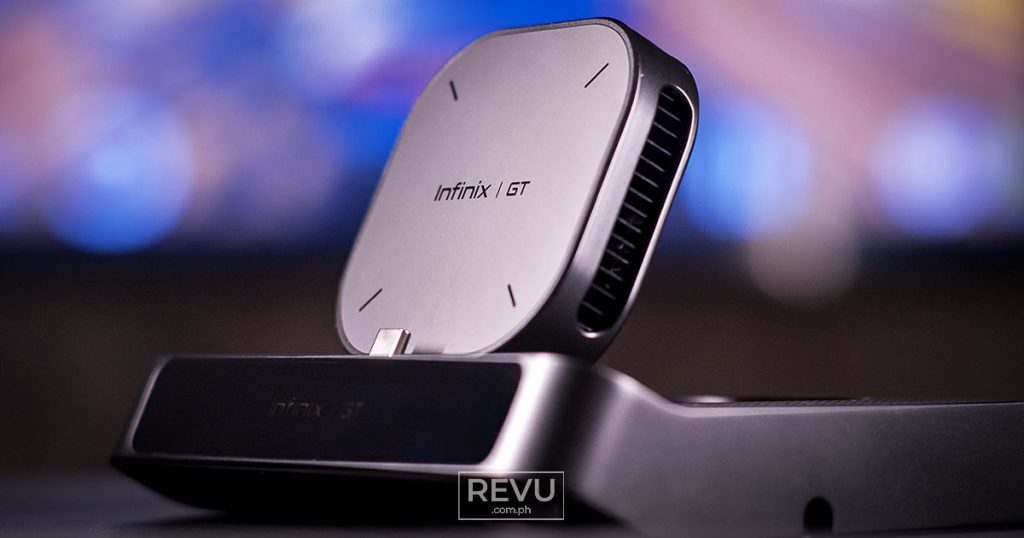
Importantly, the GT NX Station lets you play mobile games on just about any monitor or TV. Infinix packed the dock with nine different ports. There’s a wired RJ45 Ethernet port to eliminate Wi-Fi lag spikes, alongside USB-C PD pass-through charging so your battery does not die midfight. You also get a solid spread of USB-A and USB-C ports for plugging in your mouse, keyboard, or external drives, plus a microSD card slot and a classic 3.5mm headphone jack.
Before you pick one up, you should know a few technical caveats. The dock supports two display options: Mirror mode and Extend mode. Extend mode is fantastic, giving you true dual-screen functionality so you can game on the monitor while checking messages on your phone screen. The catch is that it is currently locked to select Infinix phones running XOS 16.3 or newer. Mirror mode is much more universal, but your Android phone still needs to support native DisplayPort or DP Alt Mode output over USB-C. If it does not, you will have to complete an additional step and install a driver via the dock to get the video running.
Final thoughts
The Infinix GT NX Controller and Infinix GT NX Station represent a leap forward for gaming peripherals. Rather than offering a collection of disjointed accessories from various third-party brands, Infinix has built a unified ecosystem that addresses gamer pain points — from imprecise touch controls to heat-induced performance throttling.
Whether you are aiming for precise headshots on a cramped train using the modular controller or rendering a cinematic RPG onto a 4K monitor through the actively cooled docking station at home, this hardware duo delivers on its promises. For anyone heavily invested in the mobile-gaming space, particularly those in the Philippines looking for high-end features at an accessible price point, the Infinix GT Verse ecosystem earns our recommendation.
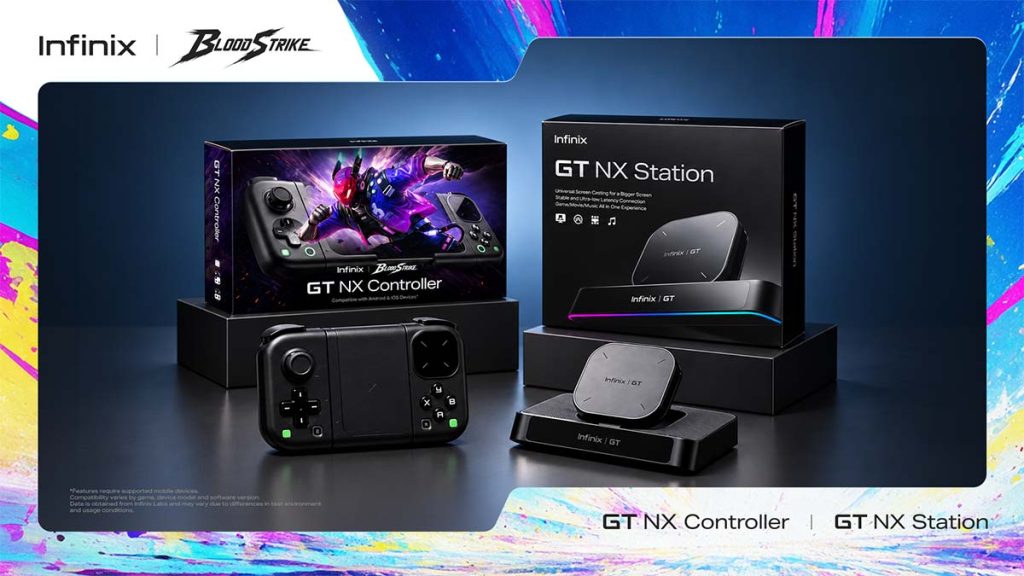
In the Philippines, the GT NX Controller and GT NX Controller Blood Strike Version cost ₱2,399 (around $38) and ₱2,499 ($40), respectively, while the GT NX Station is priced at ₱2,699 ($43). Meanwhile, the GT 50 Pro retails at ₱29,999 ($477) for the base variant with 12GB of physical RAM and 256GB of internal storage. And for those looking to buy into the complete hardware family, the GT Buds 5 are a steal at ₱1,999 $0.02), and the GT Watch 5 Pro smartwatch sits comfortably at ₱2,699 ($43).
Relevant shopping links
- Shopee
- Lazada
- TikTok Shop
Learn About This Author
