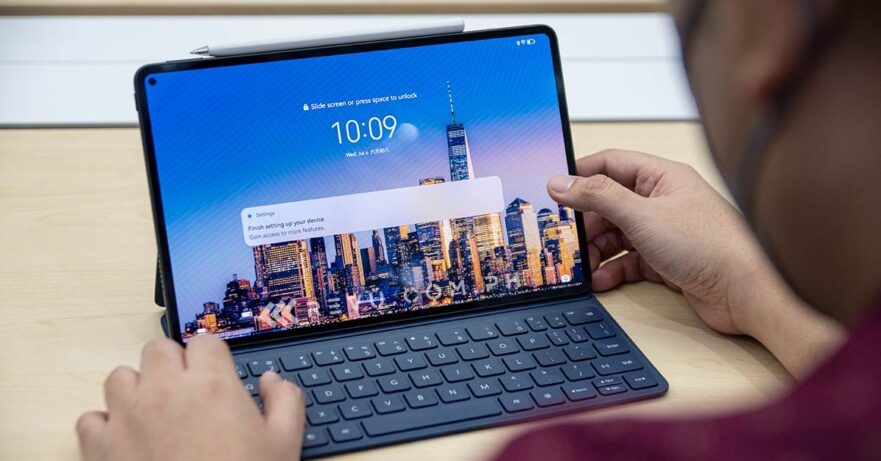
Huawei Philippines has started teasing the newest addition to its MatePad Pro series of tablets.
(Update, September 4: Check out the Huawei MatePad Pro 11’s price, specs, and preorder details for the Philippine market here!)

The Huawei MatePad Pro 11, as we reported earlier, is launching in the country September 2. We’re looking forward to it, because the device already comes with an OLED Real Color FullView Display. We still don’t know how much this MatePad is going to be, but the company says it’s “the only tablet to sport an OLED display in its price category.”
And think features like 1.07 billion colors, P3 wide color gamut, 120Hz refresh rate, 92% screen-to-body ratio, 2,560 x 1,600 WQXGA resolution, and TÜV Rheinland Full Care Display 3.0 certification for its hardware-level blue-light solution and 1,440Hz PWM dimming. A small punch hole on the left side houses a 16-megapixel camera.
On the metallic-sheen back of the Huawei MatePad Pro 11 is a circular housing with a dual-camera setup that’s composed of a 13-megapixel main sensor and an 8-megapixel secondary ultrawide one. The brand explains the look is an homage to the iconic Huawei dome-ring design initially seen on the Mate series. Also expect the tablet to be light at 449g and thin at 5.9mm.
There’s a six-speaker system here powered by Huawei Sound, an 8,300mAh battery that promises up to 11 hours of local video playback, support for 40-watt fast charging, and Qualcomm Snapdragon 870 4G chipset.
But most importantly, the Huawei MatePad Pro 11 is designed with productivity and creativity in mind, what with Super Device and its tablet-PC and portable creative-studio capabilities. If you pair it with the second-generation Huawei M-Pencil, expect better grip and writing resistance, so you can enjoy drawing, designing, and using features like Annotate and FreeScript. The new detachable Huawei Smart Magnetic Keyboard that can be used in Split, Studio, or Laptop mode (and has a a hidden floating antenna at that!), on the other hand, allows for multiple usage scenarios.
Interesting, yeah? Keep your eyes peeled on our site for tablet’s price and preorder offers.
Share this Post
Learn About This Author